
Lecture Note
The Digital Nomad Blueprint for Planning Itineraries
-
University
University of Wyoming Course
HP3151 | Mass Media and Collective ConsciousnessPages
4
Academic year
2026
-
William Blake
Views
741
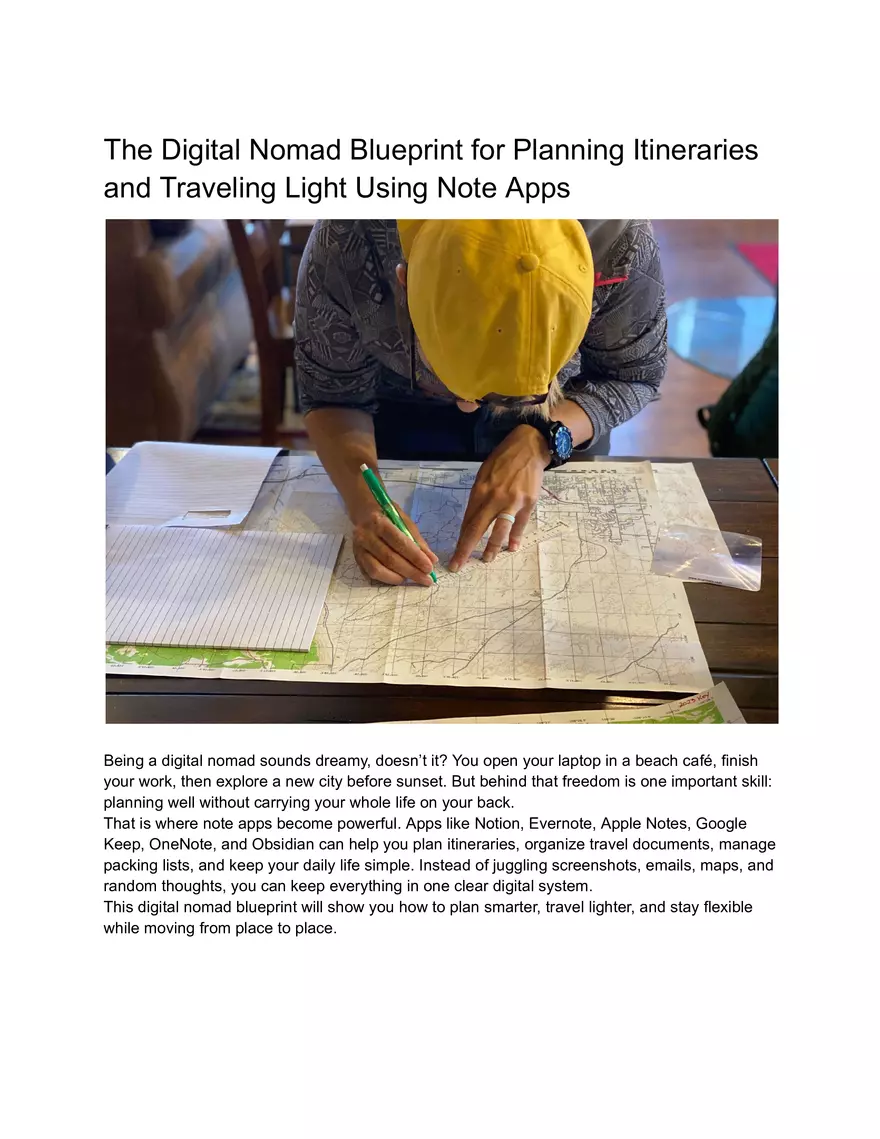
The Digital Nomad Blueprint for Planning Itineraries and Traveling Light Using Note Apps Being a digital nomad sounds dreamy, doesn’t it? You open your laptop in a beach café, finish your work, then explore a new city before sunset. But behind that freedom is one important skill: planning well without carrying your whole life on your back. That is where note apps become powerful. Apps like Notion, Evernote, Apple Notes, Google Keep, OneNote, and Obsidian can help you plan itineraries, organize travel documents, manage packing lists, and keep your daily life simple. Instead of juggling screenshots, emails, maps, and random thoughts, you can keep everything in one clear digital system. This digital nomad blueprint will show you how to plan smarter, travel lighter, and stay flexible while moving from place to place.
Why Digital Nomads Need a Smarter Travel Planning System Traveling as a digital nomad is different from taking a short vacation. You are not just choosing hotels and sightseeing spots. You are also thinking about Wi-Fi, work hours, visas, laundry, transport, time zones, and budget. Without a system, your travel life can quickly feel like a messy backpack full of tangled cables. A note app gives you a simple “home base” for your trip. You can store flight details, booking confirmations, packing lists, coworking spaces, emergency contacts, and content ideas in one place. This reduces stress because you no longer need to search through five different apps to find one important detail. The best part? Note apps are flexible. You can build a system that matches your travel style. Some digital nomads like detailed daily itineraries. Others prefer loose plans with room for surprise. Either way, your note app can work like a digital travel assistant in your pocket. A good travel planning system should do three things: save time, reduce decision fatigue, and help you stay light. When your information is organized, you make better choices faster. And when you know exactly what you need, you stop packing “just in case” items that only make your bag heavier. Building Your Digital Nomad Itinerary Inside a Note App The first step is to create one main travel dashboard. Think of it as the control center for your trip. This page should include links to everything you need, such as your itinerary, accommodation details, packing list, budget tracker, work schedule, and local notes. Start with a simple structure. Create sections for each destination. Under every city or country, add your travel dates, accommodation address, check-in details, transport information, and must-do activities. You can also add a small “important notes” section for things like local SIM cards, safety tips, or nearby supermarkets. For example, if you are going to Lisbon, your destination page might include your Airbnb address, the best cafés for remote work, public transport tips, places to eat, and a list of weekend day trips. Instead of opening ten browser tabs every time you need something, you open one note. Create a Master Travel Dashboard Your master dashboard does not need to be fancy. In fact, simple is better. A clean layout helps you find information quickly, especially when you are tired after a long flight. You can include these sections: upcoming trips, current location, travel documents, packing list, budget, work tasks, and ideas for future destinations. Add checkboxes for tasks like “download offline map,” “confirm airport transfer,” and “save hotel address.” If your note app supports templates, create a reusable destination template. This saves time every time you plan a new trip. Instead of starting from zero, you copy the template and fill in the blanks. It is like having a suitcase that already knows where everything should go.
Use Tags, Links, and Checklists Tags are useful when your notes start growing. You can tag notes with words like “visa,” “food,” “Wi-Fi,” “budget,” “packing,” or “work.” Later, you can search by tag and find related notes quickly. Internal links are also helpful. For example, your Thailand itinerary can link to your Thailand packing list, visa note, budget plan, and content ideas. This turns your note app into a small personal travel website. Checklists are the real magic for digital nomad travel planning. Use them before every move. Did you pack your charger? Did you back up your files? Did you download your boarding pass? Did you check the accommodation Wi-Fi reviews? A checklist protects you from small mistakes that can create big headaches. How to Travel Light Without Forgetting Essentials Traveling light is not about owning fewer things just to look minimalist. It is about carrying what supports your freedom. Every extra item has a cost. It takes space, adds weight, slows you down, and sometimes costs extra airline fees. A note app can help you pack with more honesty. Start by creating a master packing list divided into categories: clothes, tech, toiletries, documents, health, and extras. Then, after every trip, review what you actually used. If you carried something for three months and never touched it, maybe it does not deserve a place in your bag. The secret is to pack for your real life, not your fantasy life. Do you really need hiking boots if you mostly work from cafés and walk around cities? Do you need five pairs of jeans in a tropical country? Probably not. For digital nomads, tech gear matters most. Your laptop, charger, phone, power bank, adapter, headphones, and backup storage may be more important than an extra jacket. Still, avoid overpacking gadgets. A heavy tech pouch can become a brick in your backpack. Use your note app to create a “one-bag packing list” and a “cold-weather add-on list.” This way, your core items stay the same, and you only adjust for climate. It makes packing faster and more consistent. Using Note Apps to Stay Productive on the Road A digital nomad is not only a traveler. You also need to work, communicate, meet deadlines, and manage energy. Beautiful views are great, but they do not answer client emails for you. Your note app can support your work routine. Create a weekly planning page with your main tasks, meetings, deadlines, and travel days. Mark travel days as lighter workdays whenever possible. Moving between cities takes more energy than people expect. You can also keep a list of reliable work spots in each destination. Add café names, coworking spaces, Wi-Fi quality, noise level, plug availability, and opening hours. Over time, this becomes your personal remote work guide. Another smart idea is to create a “low-energy task list.” These are simple tasks you can do when you are tired, such as organizing files, replying to easy messages, editing notes, or planning
social media posts. Travel can be unpredictable, so your productivity system should be flexible, not strict. Note apps also help with content creation. If you write blogs, make videos, or post on social media, keep a running idea bank. Travel gives you ideas all the time, but they disappear quickly if you do not capture them. A quick note can later become a full article, newsletter, or video script. Final Tips for a Simple, Light, and Flexible Nomad Lifestyle The best digital nomad planning system is the one you actually use. Do not build a complicated setup just because it looks good online. Your note app should make life easier, not become another job. Keep your system simple. Use one main dashboard, a repeatable itinerary template, a practical packing list, and a weekly work planner. Review your notes regularly and delete what you no longer need. Digital clutter can feel just as heavy as physical clutter. Also, make sure your important notes are available offline. This is essential for travel days, airports, buses, and places with weak internet. Save copies of your passport, insurance, visa, booking confirmations, and emergency contacts in a secure location. For sensitive documents, use password protection or encrypted storage when possible. Most importantly, leave space for real life. A good itinerary should guide you, not trap you. Some of the best travel memories happen when plans change. Your note app is not there to control every minute. It is there to give you confidence, clarity, and freedom. Traveling light is a mindset. Planning with note apps is the tool that supports it. Together, they help you move through the world with less stress and more purpose. When your bag is lighter and your plans are clearer, you can focus on what really matters: doing meaningful work, exploring new places, and enjoying the digital nomad life one well-planned step at a time.
Comments
The Digital Nomad Blueprint for Planning Itineraries


Please or to post comments